Solution:
STEP I: To increase Elastic Search Node Heap, we need to stop & remove Elastic Search Service:
Navigate to the bin folder location
elasticsearch-service.bat stop
elasticsearch-service.bat remove

STEP II :
To increase Heap Size:
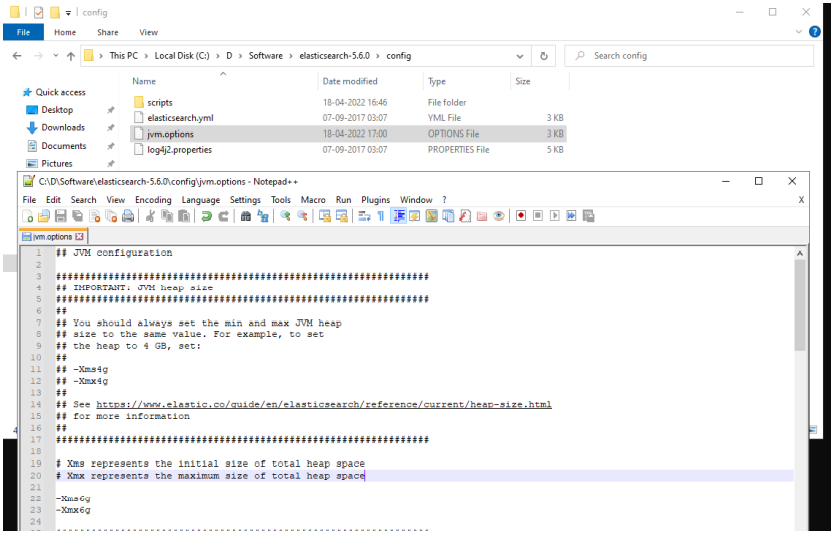
Navigate to config folder and edit the jvm.options
Update the -Xms and -Xmx to desired value
Step III : To install and search Elastic Search service:
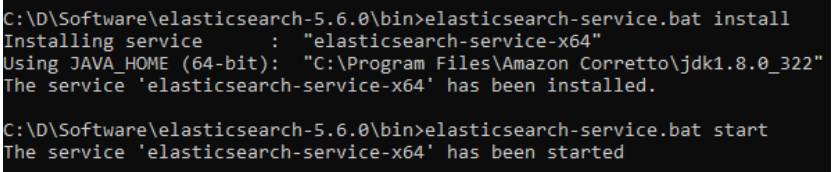
Navigate to Bin folder location and execute below commands in Command Prompt:
elasticsearch-service.bat install
elasticsearch-service.bat start
Priyanka Bhotika
Comments