Steps:
1. Login to QPP Workspace. (http://ServerName Or IP:61400/workspace)
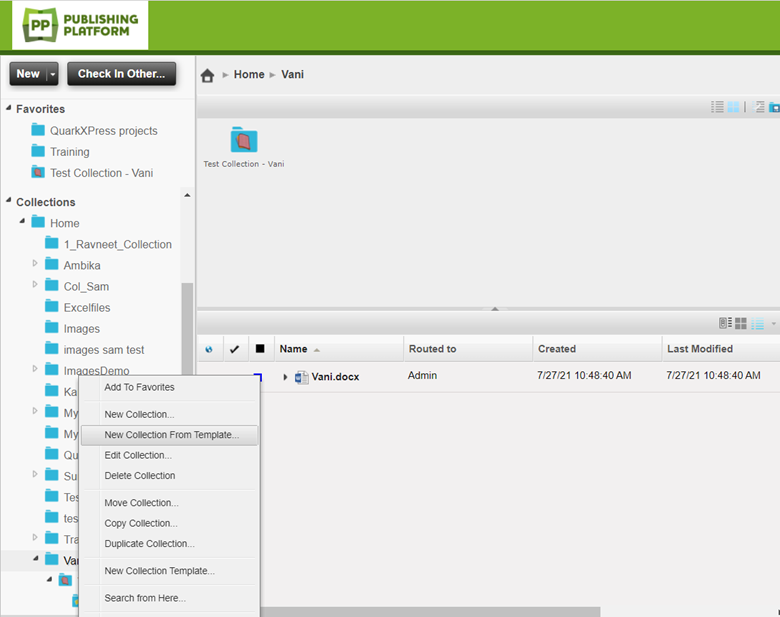
2. Right click on any of the existing collections, and you get displayed with the following menu items. (as shown in the fig.)
3. From the menu items, select the ‘New Collection From Template’ option. Once clicked, you can see the following pop-up window (fig. shown below)
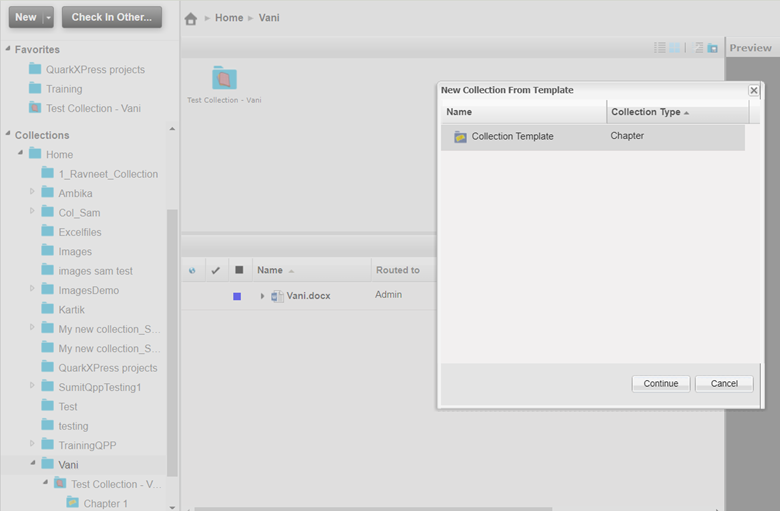
4. The pop-up will list all the templates that a user can select from.
5. Select the desired collection template and click on the ‘Continue’ option.
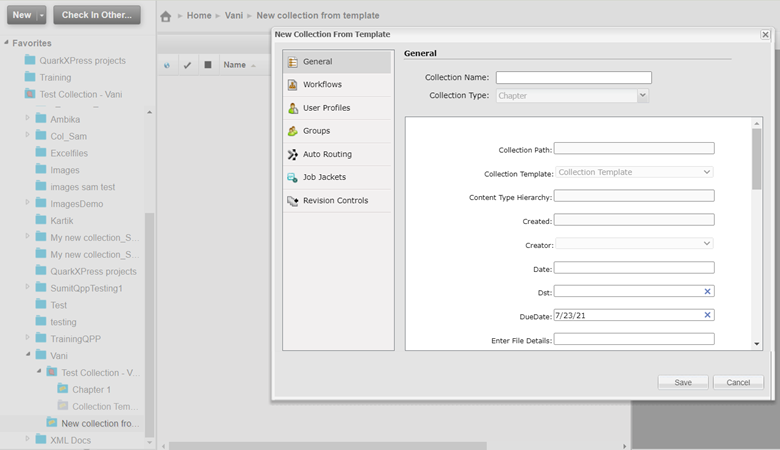
6. Fill in the new collection name in the field ‘Collection Name’ and required metadata fields. (as shown in the fig below)
7. Click ‘Save’.
Priyanka Bhotika
Comments