Product: Quark Publishing Platform (QPP)
Solution: The ASPOSE filter handles text files, Microsoft Word, Excel and PowerPoint documents, RTF files, and plain text files.
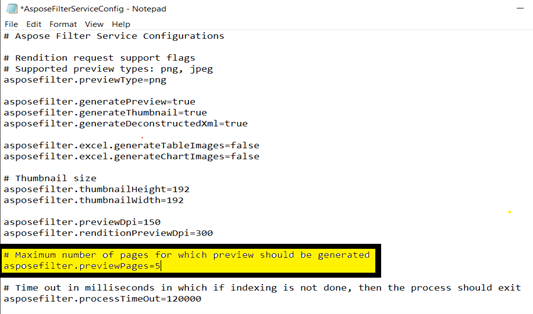
- Open the "AsposeFilterServiceConfig.properties" file located in the C:\Program Files\Quark\Quark Publishing Platform\Server\conf folder.
- To specify the maximum number of pages for which a preview should be generated, enter a value in the
asposefilter.previewPages=entry, by default number is 5. (Refer to the below screenshot) - Save and close "AsposeFilterServiceConfig.properties."
- Restart the QPP Server to make the changes effective.
Priyanka Bhotika
Comments