Product: Quark Publishing Platform (QPP)
Solution:
- Logon to the Admin panel http://<machine name or IP: Port number>/Admin.
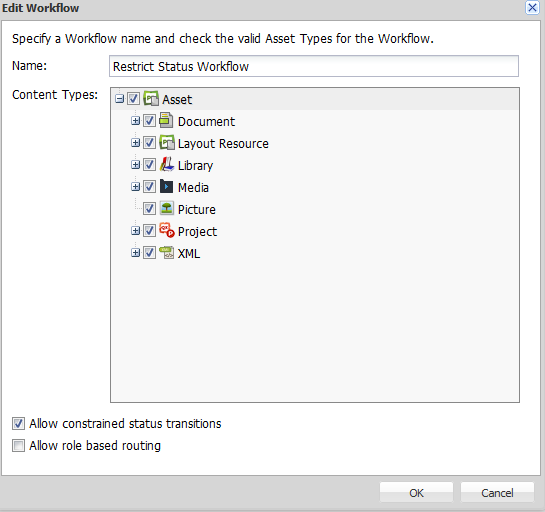
- Create a new workflow or choose an existing one and check the option 'Allow constrained status transition'. Click OK.
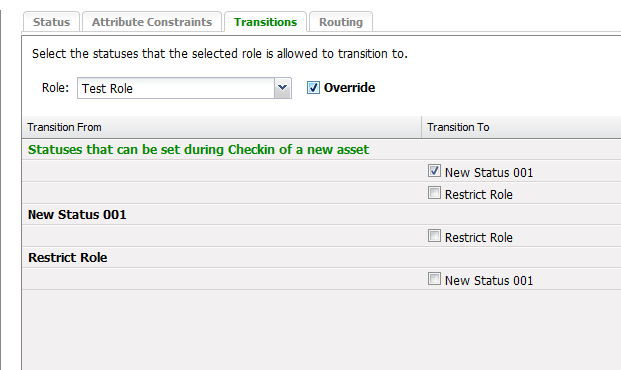
- Create multiple statuses and then go to Transitions tab.
- Select the user role in the Role drop-down and check the box Override to transition specific statuses to that specific user role.
- Click Apply.
- Now, login to Workspace browser to check-in any asset with the user role restricted for the specific status in step 4.
Priyanka Bhotika
Comments