Solution: The document is required while applying QPP 15.x Log4j 1.x remedy, steps to Update QPP 15.x database to QPP 15.1:
1) Take the backup of the existing database.
2) In the QPP build installed, go to below location for sqlserver
- <Installation-Directory>Server\database\sqlserver\Update\
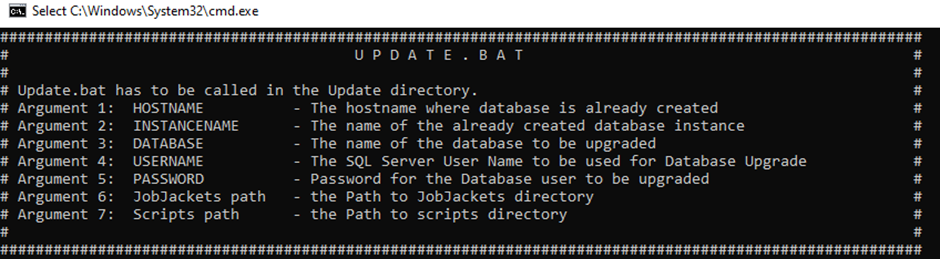
4) Run Update.bat with parameters (parameters need to space separated).
Update.bat <hostname> <instancename> <dbname> <dbusername> <dbpassword> . .
- In case no Jobjacket or scripts directory exist, we can use dot (.)
- In case user has jobjacket directory or script directory separately configured, that location can be used, and the script will import the jobjackets and script into the database.
Priyanka Bhotika
Comments