Product: Quark Publishing Platform (QPP)
This article will help users to automate the process of routing of assets to different users based on different statuses.
Please follow below steps:
- Login to QPP - Web Admin.
- Go to Workflows > Create a new workflow or click on an existing workflow per requirement.
- Create more than one status as per the requirement.
- Now login to the QPP Web Client.
- Right click on the collection you’d like to setup Auto-Routing in and click Edit Collection.
- Go to Workflows and workflow as created in Step 2.
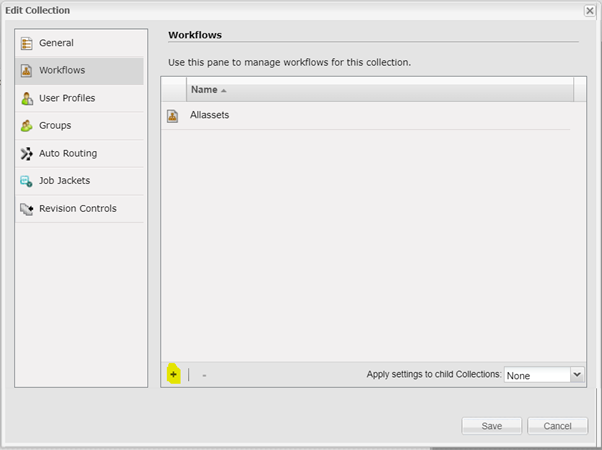
- Further in edit collection, go to Auto-routing and select the required workflow.
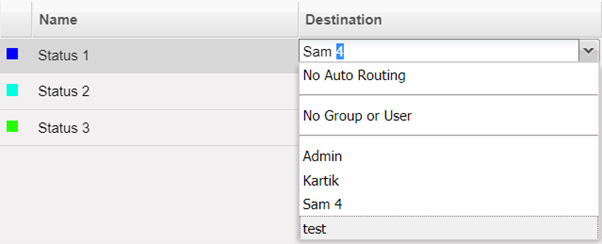
- The workflow should show the statuses that you’d set in the Admin UI.
- To set the auto-routing, double click on the destination section against the status and select the user to whom asset to be routed automatically.
Priyanka Bhotika
Comments